
GitHub Pages
GitHub Pages는 GitHub Repository를 이용해 웹 사이트를 무료로 호스팅해주는 서비스입니다.
- 사용자가 GitHub Repository에 자신의 웹 프로젝트 빌드 결과물을 업로드 하면 GitHub가 그 결과물을 호스팅해 줍니다.
1. 로컬 저장소에 Commit 하기
$ git add .
$ git commit -m " Deploying to Github Pages"
지금까지 프로젝트의 파일 및 폴더의 추가/변경 사항을 로컬 저장소에 기록합니다.
2. GiHub에 Repository 생성 (원격 저장소 생성)
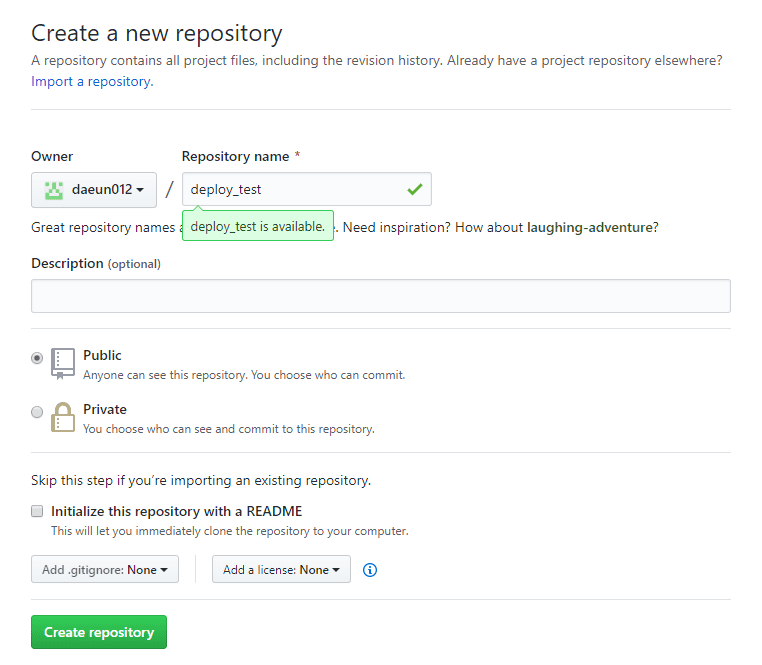
자신의 GitHub에 새로운 repository를 생성합니다
3. 로컬 저장소와 원격 저장소 연결
원격 저장소의 주소를 입력해 로컬 저장소와 원격 저장소를 연결해 줍니다.
$ git remote add origin https://github.com/daeun012/deploy_test.git로컬 저장소에 기록 한 내용을 원격 저장소에 업로드 합니다.
$ git push -u origin master4. gh-pages 패키지 설치
$ npm install gh-pages5. package.json 수정
package.json 파일에 "homepage": "https://{GitHub username}.github.io/{Repository name}/"을 추가해 주고,
....
"browserslist": {
"production": [
">0.2%",
"not dead",
"not op_mini all"
],
"development": [
"last 1 chrome version",
"last 1 firefox version",
"last 1 safari version"
]

},
"homepage": "https://daeun012.github.io/deploy_test/" //(*)
}package.json의 "scripts" 부분에 "deploy": "gh-pages -d build", "predeploy": "npm run build"를 추가해 줍니다.
...
"scripts": {
"start": "react-scripts start",
"build": "react-scripts build",
"test": "react-scripts test",
"eject": "react-scripts eject",
"deploy": "gh-pages -d build", //(*)
"predeploy": "npm run build" //(*)
},
...
npm run build: 현재 프로젝트 코드를 빌드합니다.gh-pages -d build: build 디렉토리 (-d)에 있는 파일을 GitHub Pages에 업로드 합니다.
마지막! GitHub Pages에 빌드 결과물 업로드
$ npm run deployhompage에 입력했던 주소로 접속하시면 프로젝트가 배포된 것을 볼 수 있을 겁니다.